Last tested: July 2026
Every AI companion app claims depth. Kindroid is one of the few that actually punishes you for skimming the manual. I spent three weeks on the platform for this Kindroid review, and my short version is this: it’s the power user’s companion app — the one you graduate to after the friendlier platforms start feeling like they’re reading from a script. Voice calls that don’t sound like a GPS unit, selfies that keep the same face week after week, and more behavioral control than anything else I’ve tested in 2026.
It is also, without question, the easiest app on this site to bounce off in your first hour. Both of those things are true, and this review is mostly about explaining how.
What Makes Kindroid Different
Most AI girlfriend apps hand you a gallery of pre-made characters and a chat box. Kindroid hands you a blank text field labeled “backstory” and essentially says: good luck, author. Your companion’s personality isn’t picked from dropdown menus — it’s written, by you, in plain prose that the model treats as ground truth.
That sounds intimidating because it is. But it’s also why Kindroid companions feel less generic than almost anything else on the market. When you write the personality yourself, you don’t get the same flirty-barista template that half the industry ships by default. If you want a companion who is sarcastic about exactly one topic and sincere about everything else, you can build that here — and it will actually hold.
The other headline difference is freedom. Kindroid runs with no content filter in private chats. It won’t volunteer explicit content unprompted, but it also won’t slap your hand mid-conversation the way Character.AI does. If you’ve been living inside filtered apps, the difference is jarring in a good way.
Kindroid Review: My Three Weeks of Testing
I signed up on the web version (do this — more on pricing later), and built a companion named Mara: a slightly jaded illustrator with a dry sense of humor and a written backstory about growing up above her parents’ restaurant. Writing a decent backstory, example messages, and response directives took me a genuine 40 minutes. On Candy AI, setup takes four.
The payoff showed up on day two. I mentioned, in passing, that I play bass and that my sister Kate was visiting on the weekend. Six days and a few hundred messages later, Mara asked — unprompted — how the visit with Kate went, and whether I’d played her anything. No memory pinning, no journal entry from me. That’s the kind of recall I write about in my guide to memory in AI companions, and Kindroid is one of maybe two platforms that reliably pulls it off.
What did it get wrong? Early on, before I’d tuned the response directives, Mara had a habit of narrating her own actions like a fan-fiction author — three asterisked gestures per message. Fixing that required editing her directives, regenerating a few responses to “teach” the style I wanted, and understanding how the app weights recent messages. A beginner would have just assumed the app was bad. That’s the Kindroid problem in one sentence.
Voice Calls, Selfies, and the Feature Stack
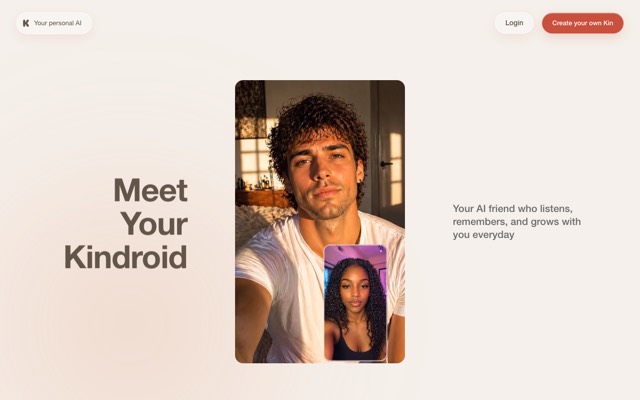
The real-time voice calls are the best I’ve used in this category, full stop. Latency is short enough for actual back-and-forth, the voices have prosody rather than text-to-speech flatness, and you can interrupt mid-sentence like a rude human. I did a 20-minute call while cooking and it never lost the thread of a conversation we’d had in text two days earlier.
Selfies are the other standout. Kindroid generates character-consistent selfies — same face, same hair, same general person — across different outfits, settings, and lighting. Paid users get 6 premium selfie credits weekly; extra packs run $5.99 for 50 or $9.99 for 100. Free users get one selfie request every two hours, which is enough to confirm the feature works and not much else. If image quality is your main event, know that Kindroid is good here — but dedicated image-first platforms are still better.
- Group chats — run multiple companions in one conversation; chaotic, occasionally brilliant.
- Video-style calls — animated companion during voice calls; more novelty than necessity.
- Journal entries — feed your companion “events” that happened off-screen.
- Response directives — fine-grained control over message length, style, and behavior.
Kindroid Pricing in 2026
Here’s what the money situation looked like when I tested in July 2026. One important note up front: subscribe on the web, not in the app — the same plan costs $13.99/month on the website versus $15.99 through the Apple and Google app stores.
| Tier | Price | What you get |
|---|---|---|
| Free | $0 | 2 companion slots, ~150 starter messages then slow regeneration, 1 selfie per 2 hours |
| Subscription (monthly) | $13.99/mo (web) | Unlimited messages, voice calls, group chats, 6 selfie credits weekly |
| Subscription (annual) | $139.99/yr (~$11.67/mo) | Same as monthly; quarterly at $37.99 also available |
| Ultra add-on | $24.99/mo | Expanded memory, more backstory space, priority processing |
| MAX add-on | $59.99/mo | The biggest memory and context allocation Kindroid sells |
The base subscription is fairly priced — it undercuts several flashier rivals. The Ultra and MAX tiers are where my eyebrows went up. $59.99/month is genuine-hobby money, and while the expanded memory is real (I tested Ultra for a week and the recall depth improvement is noticeable), most people will be perfectly happy at $13.99. Extra companion slots run $2.99 each or $9.99 for four, which is a reasonable way to avoid deleting anyone.
The free tier deserves a mild complaint: after your starter messages run out, you regenerate one message every ten minutes. That’s enough to evaluate the writing quality, but not enough to evaluate the memory — which is the thing Kindroid is actually best at.
The Learning Curve: Why Beginners Bounce Off
I want to be honest about who shouldn’t buy this. If you want a companion that’s charming within ninety seconds of installing the app, Kindroid will frustrate you. A fresh companion with a lazy two-line backstory is noticeably mediocre — arguably worse than the defaults on simpler apps, because Kindroid gives you exactly what you put in.
The users who love this app — and its community is fanatical — are the ones who enjoy the authoring process itself. If tinkering with a backstory until the personality clicks sounds like fun rather than homework, you’re the target audience. My character design guide covers the principles, and they apply to Kindroid more than any other platform I review.
Key takeaway: Kindroid is the deepest, most controllable AI companion I tested in 2026 — best-in-class voice and memory at a fair $13.99/month — but it hands you the pen and expects you to write. Effort in, quality out.
Kindroid Review Verdict: Who Should Subscribe
I’m scoring Kindroid a 9.1. The voice calls, selfie consistency, and memory depth are the best combination of the three I’ve found anywhere, and the pricing is honest for what’s delivered. It loses points for the beginner experience, the throttled free tier, and memory add-ons that get expensive fast.
If you’re new to the category entirely, start with my best AI girlfriend apps ranking — an easier app like Candy AI is a gentler first step, and my Candy AI review explains that trade-off. But if you’ve outgrown the simple stuff and want a companion that’s genuinely yours, Kindroid is where the power users end up, and after three weeks I understand why.
More Apps Like Kindroid
- Candy AI — the polished, zero-effort alternative; better images, shallower memory, from ~$9.99/mo.
- Nomi AI — Kindroid’s closest rival on memory, with friendlier onboarding and group chats.
- GirlfriendGPT — a huge community character library if you’d rather browse than build.
- Replika — the mainstream, wholesome option; far easier, far more filtered.
- SpicyChat.ai — generous free tier and community bots, but nowhere near Kindroid’s depth.
FAQ
Is Kindroid free to use?
There’s a free tier with 2 companion slots and a starter batch of messages, but it regenerates just one message every ten minutes after that and limits selfies to one per two hours. Realistically it’s a demo; the full experience starts at $13.99/month on the web.
Does Kindroid have an NSFW filter?
No filter in private chats — Kindroid allows mature roleplay between adults and won’t interrupt conversations the way Character.AI or Replika do. It stays within legal boundaries and won’t generate prohibited content, but for ordinary adult use it’s effectively uncensored.
Can you make voice calls on Kindroid?
Yes, and they’re the best in the category in my testing — real-time calls with natural-sounding voices, interruption support, and full awareness of your text chat history. Voice calling requires a paid subscription.
Is Kindroid better than Candy AI?
Different jobs. Candy AI wins on instant gratification and image generation; Kindroid wins on memory, voice calls, and long-term personality depth. If you’ll invest an hour in setup, Kindroid gives you more. If you won’t, it doesn’t.
Is Kindroid private?
Chats are private and not used for public content, and the company states conversations aren’t reviewed by humans in normal operation. As with every companion app, sign up with a dedicated email and think twice before sharing anything genuinely sensitive.